Terminal toolsMT4: Working reference; MT5: Release planned for launch.
Configure the supported trade tools for the platform and build being shown.
 SENTINEL OSSENTINEL OS

SENTINEL OS / TRADING SOFTWARE
Sentinel is software for the MetaTrader trading platform, for people learning about trading and those with experience. Explore tools for planning trades and managing open positions. You choose the settings and which supported management rules to enable.
MT4 — Working reference · MT5 — Release planned for launch
cTrader — Next development focus
Trading involves risk. Software and automation cannot guarantee profit or prevent losses. Breakeven is a configured stop adjustment; costs, slippage and execution conditions can still leave a loss. Features and availability depend on the released platform and build. These tools do not replace learning, practice or understanding trading risk.
Ever changed a trade-management decision because the price started moving?
Choose your exit rules before that moment. Set when a stop should move, when to take a partial exit and which strategies to enable.
Build a library around the way you trade: different instruments, sessions, volatility conditions or strategies.
Save separate settings for stops, trailing, partial exits and breakeven. Choose the preset for the trade ahead, review its settings and enable the strategies you want.
Configure the supported trade tools for the platform and build being shown.
cTrader is the next development focus. Integration with the wider Sentinel system is planned.
This chart-companion preview helps review a manually configured chart plan. It does not place broker orders or synchronise trading accounts with Sentinel.
Explore the product exhibit and the controls shown in the dated demonstrations.
A native Android app is in development separately from the mobile website. Release availability has not been announced.
Public Trading basics and the glossary are available. The wider Academy remains in development; a member-learning service is unavailable.
Trade-review tools are in development. Cross-platform record synchronisation is not yet established.
See Sentinel’s MT5 EA directly on an XAUUSD chart, with trade setup and management controls in the same workspace.
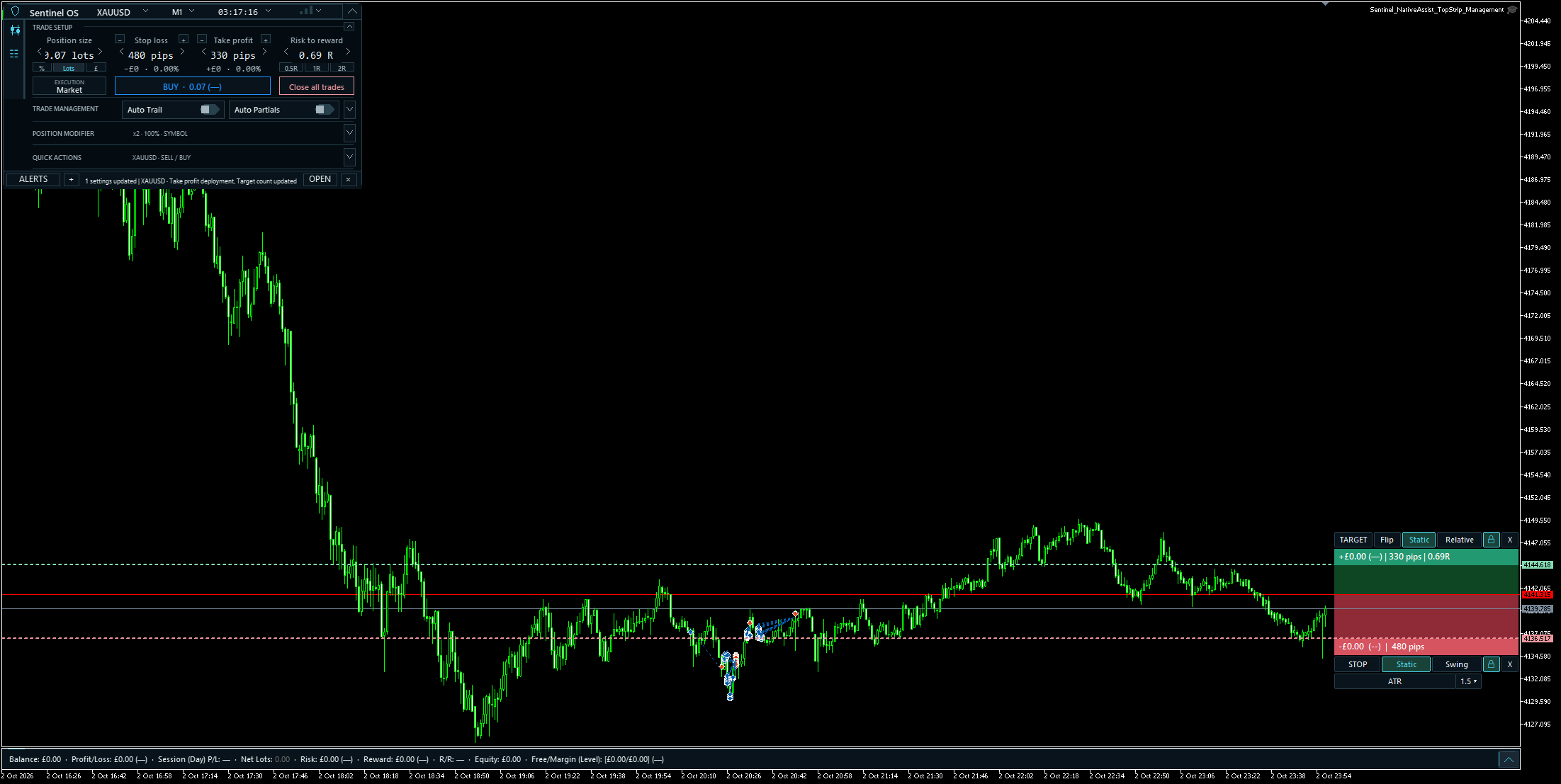 Inspect the complete MT5 chart ↗
Explore the MT4 / MT5 product status and the software exhibit.
Define the trade.
Check it against your rules.
Enter deliberately.
Automate the strategies you enable.
Compare the outcome with your plan.
Public learning · no account needed
Whether you’re just starting to learn or already have experience, these short explanations help you understand the tools and the language. Open a term whenever you need more detail.
You buy or sell a financial instrument. An order is your instruction; a position is what you hold after it is filled. Its value can rise or fall.
Market orders seek a prompt fill. Limit orders set an acceptable price; stop orders activate at a trigger. Price and execution are not guaranteed together.
Position size, stop distance, instrument value and costs shape planned risk. Actual loss can exceed the calculation. You choose the trade and risk instructions.
Spread, commissions and overnight financing can reduce a gain or increase a loss. Check which charges are already included in your recorded result.
Margin is required collateral. Leverage lets a smaller amount support a larger position, magnifying potential gains and losses. It does not cap your loss at the margin amount.
Education and tool explanations, without trading signals or personal recommendations. Examples are illustrative; no returns are promised.